Rhythm Game
Building Game Engines Final Project
Simon Jupp, Alan Xie, and Joshua Chang
Fall 2024
Screenshots
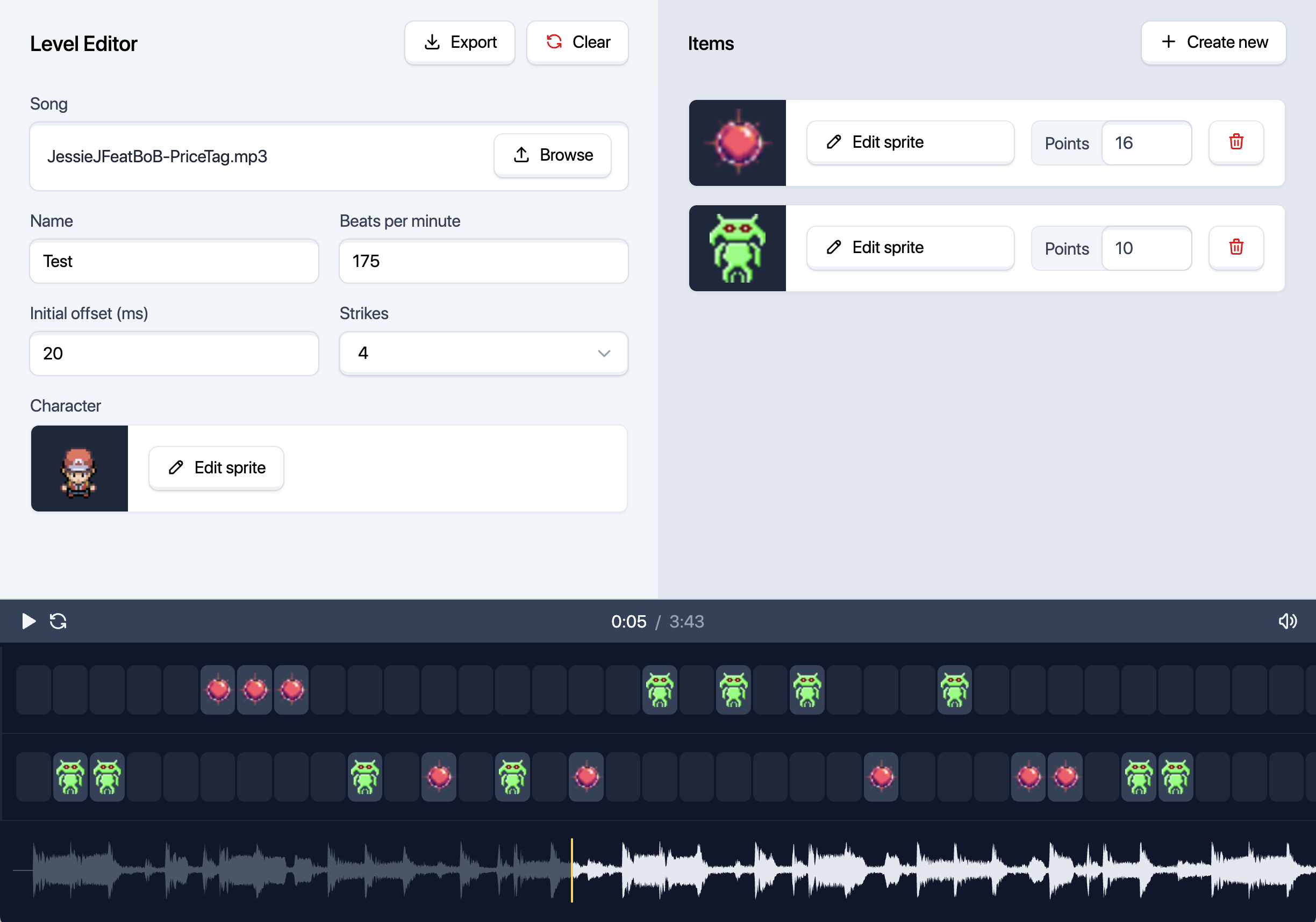
The Level Editor
This is where you can create levels for the game and export them to be played. There are three main sections of the editor — the settings on the left, the item library on the right, and the timeline at the bottom. The settings allow you to change the level's name, music, character, and strikes (number of misses before losing). The item library is where you can create and edit items that will appear in the level. You can drag and drop items from the library onto the slots in the timeline. Each slot corresponds to a beat in the music. In the timeline, below the slots, you can see a waveform of the music, which can be played to help you place items accurately. Once done, you can export the level to a zip file containing the level data as JSON and the associated music and image files. Access the level editor here.
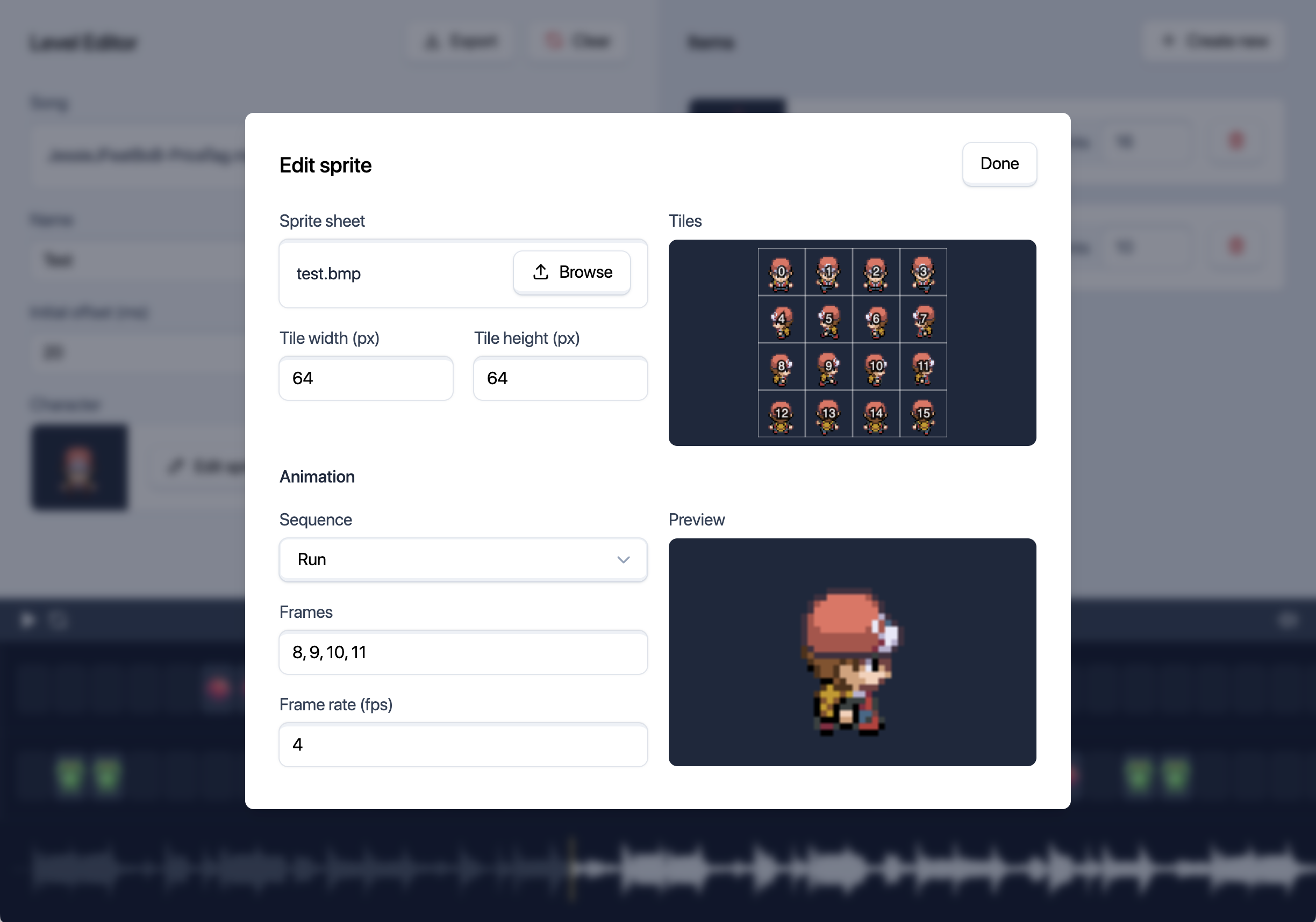
The Sprite Editor
This is where you can create and edit sprites for the game. You can import sprite sheets and set their tile dimensions. The sprite editor will then display the sprite sheet with the tiles labelled. Using this preview, you can define animation sequences, which will show a preview once a frame rate is set.
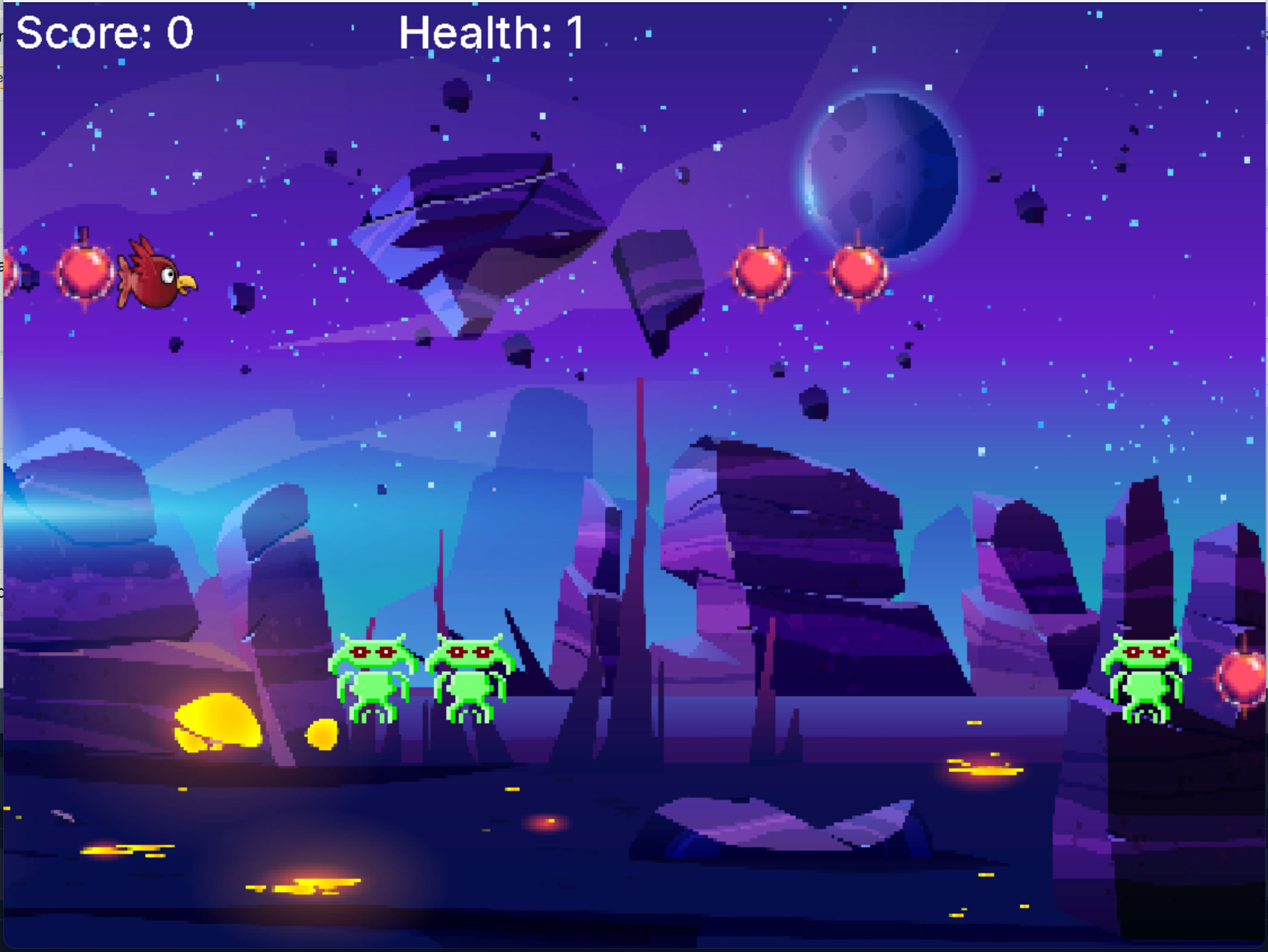
The Game
This is the game itself. The player must hit the correct keys at the correct time to score points. The game has a health that depletes when the player misses a note. The game ends when the health gets to zero or the song ends. The game has a selection menu where the player can choose a level to play.
Engine Architecture
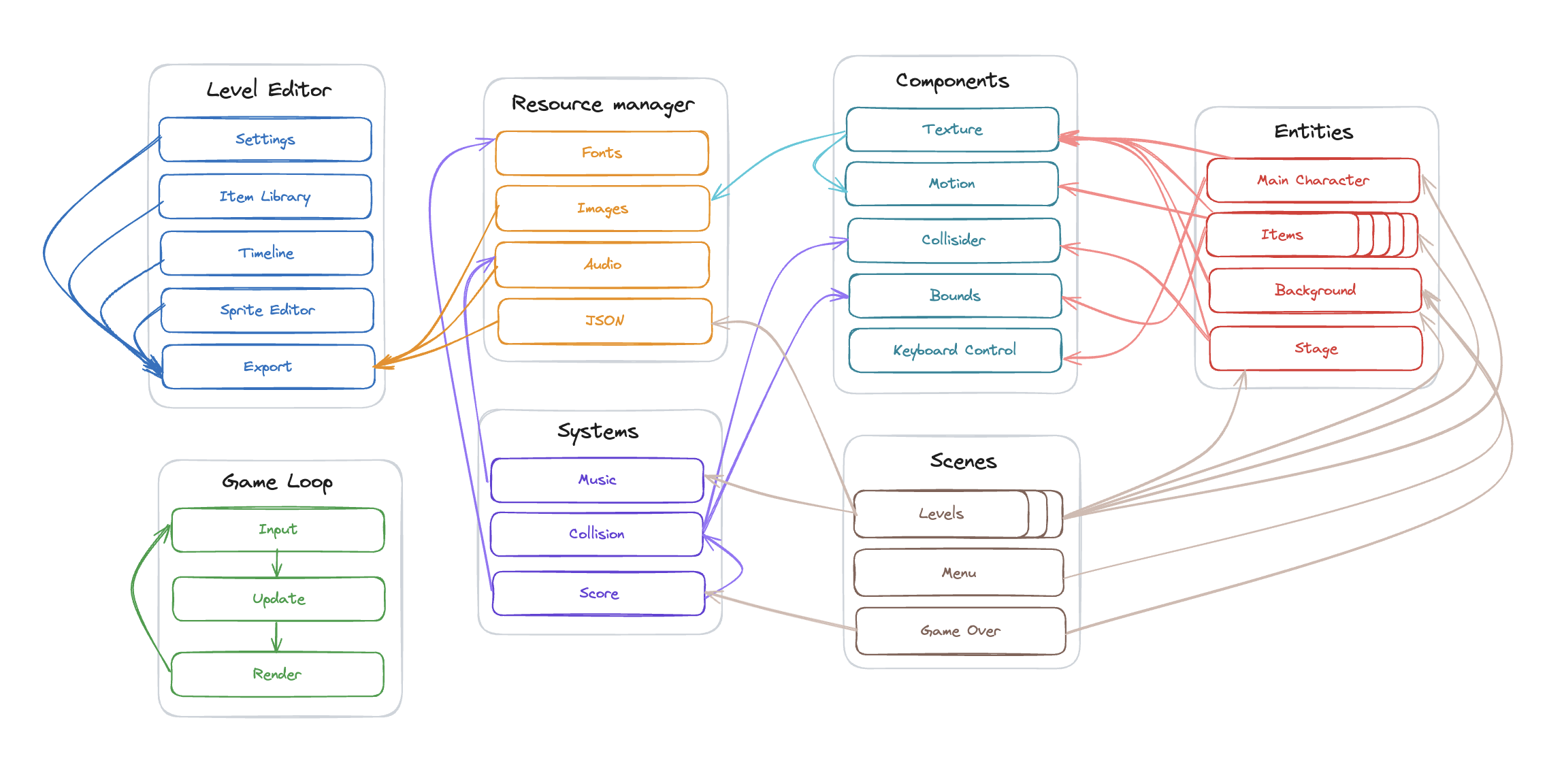
The game engine is built using the ECS (Entity-Component-System) architecture. The game loop runs at a rate of 60 frames per second, repeatedly calling input(), update(), and render() functions. Each scene has a series of entities and systems, and each entity has a series of components. Components control some piece of logic for a given entity, such as rendering, physics, or input. Systems are like components for the scene in that they control some piece of logic, but for the scene as whole.
Each level is loaded in as a scene from a data folder (JSON, music, and images) exported from the level editor. All assets are accessed via a resource manager, which loads them into memory and caches them for future use. The game engine uses SDL2 for window and input handling, SDL_mixer for audio playback, and SDL_TTF for text rendering.
Documentation
See the doxygen documentation for the codebase.
Download
Click here to download the binary
Post Mortem
If we had eight more weeks, we would have had more time to polish the engine/game and add more features. Some of the features we could have added include a way to preview the timings with the music more robustly in the level editor and the ability to add more types of items, like longer notes or notes that require multiple key presses. In the game, we could make the menu of the selection menu prettier, and add the option to select a level to play from a zip in the file selector. We could have added hihgh scores, and the ability to pause/resume the game and restart. We could have also added a way to change the key bindings.
We could have also polished the UI of the game, and added more levels. One place we can polish the engine is add frame independent One thing we could do is add a transition between the upper and lower slots, so that it is less abrubt. There were occasionally some very minor flickers of the textures when the game was running, which could be fixed with some more debugging. Also, there were a number of performance improvements that could be made, such as using a more efficient data structure for the timeline. Overall though, we are happy with what we made and worked well together as a group.